Burp Pro’s default active scan kicks in with no permission…
One request sent, and suddenly it’s injecting all kinds of unwanted recon – credit card checks, PII patterns, low-priority filler.
None of it helps if you’re focused on real attack surface!
It floods your proxy with noise, eats rate limits, and masks useful behavior.
You lose precision, and you lose time.
What to do:
Disable and delete the running Live audit task
- By default there will be two tasks running when we start a new Burp Pro project.
- These are Live audit from Proxy and Live passive crawl from Proxy.
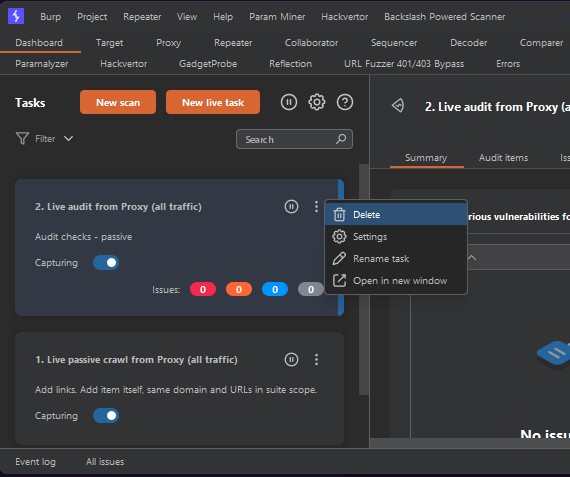
- Delete the running Live audit task as shown here
Tune the Live Passive Crawl task to only scan in-scope items
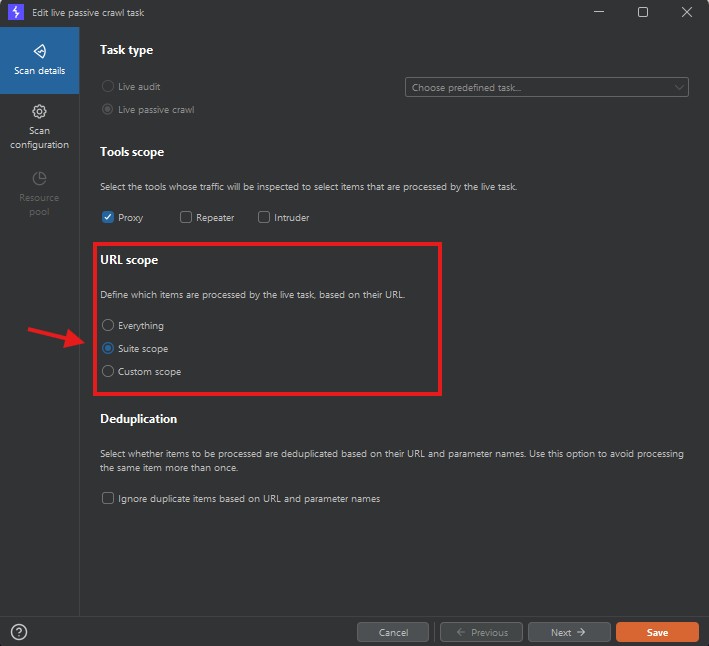
- Scan Settings – URL Scope
Change from Everything to Suite scope
Set a focused target scope domain to filter out 3rd party out of scope traffic
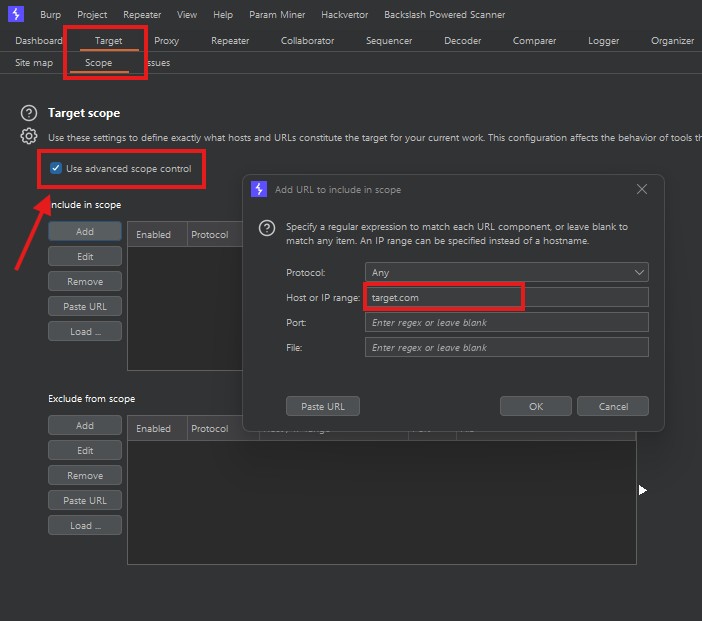
- Target Scope – Scope tab
Check Use advanced scope control to maximize scan coverage - Add the target domain as pictured
[target][.][com/net/etc]
this will ensure that subdomains are also scanned
Tune the Logger to two specific goals – capture in-scope items and display in-scope items
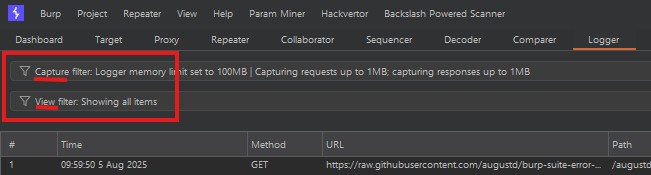
* NOTE – this one is easy to miss! The Logger tab has TWO views you’ll have to edit separately.
- Capture filter options:
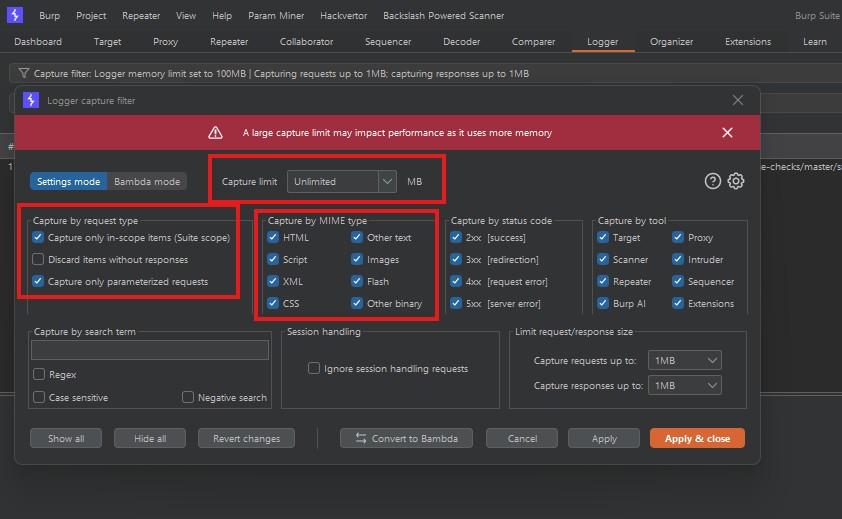
- Capture Limit: Set as high as you can depending on your available RAM and system resources. Large payload brute-forcing such as buffer overflow detection or length-limit validation may cause performance issues.
- [Optional] Capture only parameterized requests: this may help in specific cases such as filtering POST requests with input parameters that change the state of the application, reflect input, or load resources to discover OWASP Top Ten bugs.
- [Optional] MIME type can help remove items you have already thoroughly inspected – CSS, Flash, Images etc can cause a lot of unnecessary logging, recommended to disable those checks once you have audited known injection attacks.
Define your own insertion points. Don’t rely on Burp’s auto-guessing
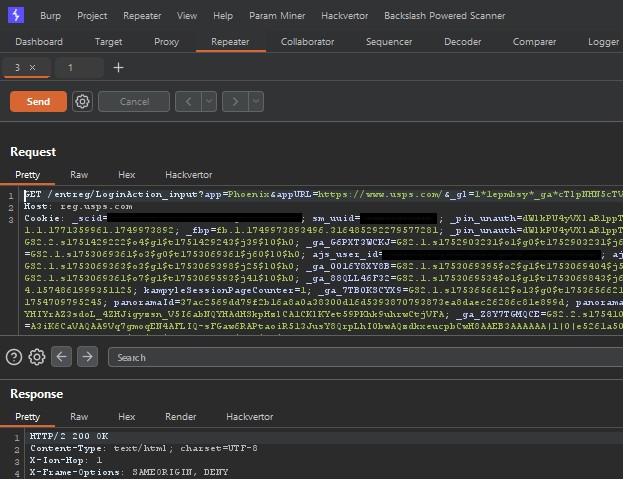
- A screenshot series of a threat-hunting session where the results have been filtered by parameterized in-scope requests for further testing.
This is the original request and you can see the daunting amount of data sent along with it.
Request parameters, Headers, Cookies, Tokens, Api keys, IDs, Paths, etc.
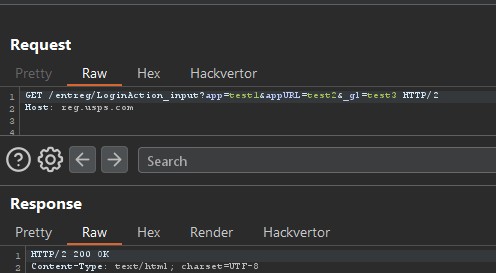
- Here we will be focusing on request parameter injection and have removed cookies and headers methodically 1 by 1 making sure the request is still being sent and processed successfully.
- Next steps are to replace the remaining parameter inputs with unique canary payloads we can track throughout the application source and responses.
The concept of Sources and Sinks will be covered along with DOM client-side attacks in a later post.
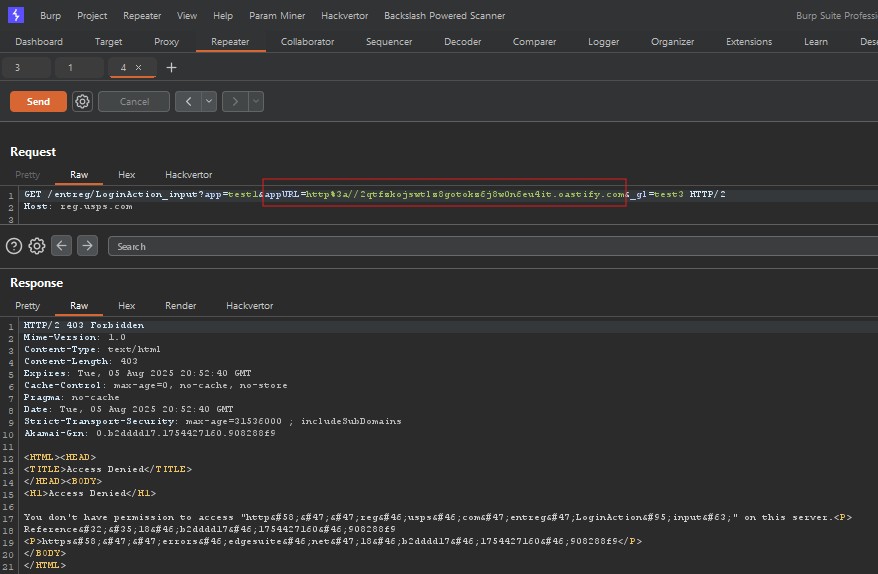
- This final screenshot shows a request with removed headers and cookies.
We are observing how the back-end responds to either url parameter names or parameter values. In this case we have zeroed in on the appURL parameter and add it to our Threat-Modeling notes as a potential SSRF or Open Redirect. We’re sending in a Burp Collaborator payload and see that the detected change in origin has been flagged by a filter or WAF rule. This is a great candidate for SSRF payload brute-forcing to internal ports, internal lateral hosts, localhost, etc.
Go into Audit checks and unselect the junk:
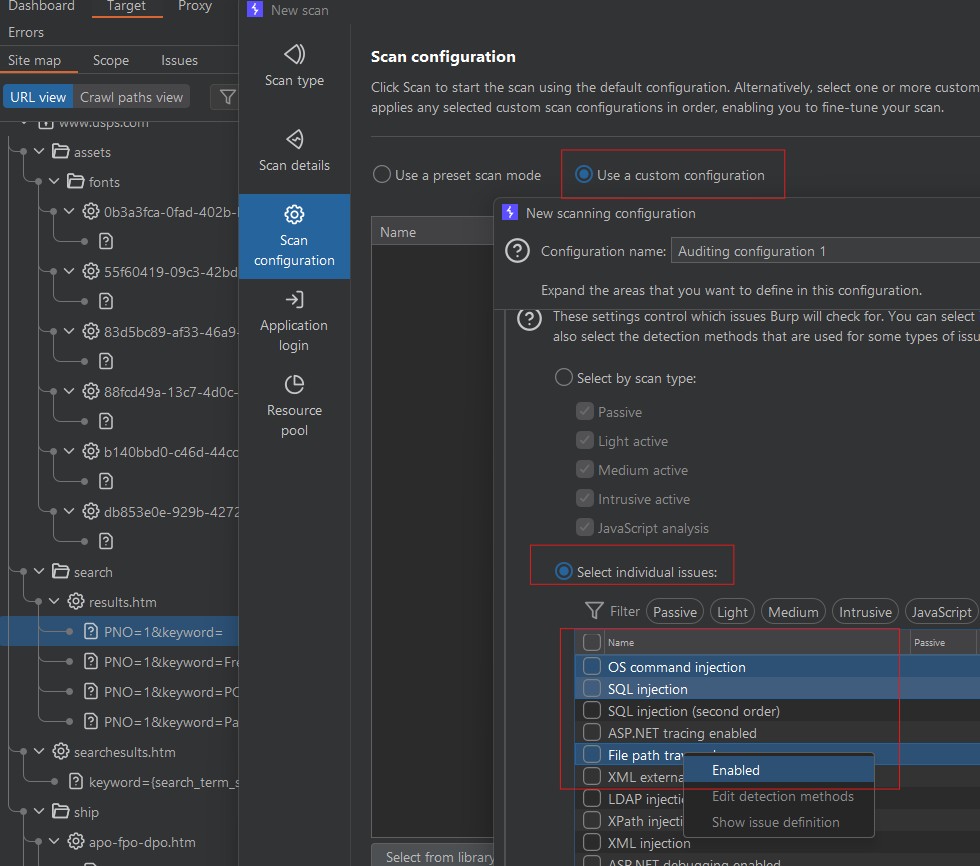
- Keep only what matters — XSS, SSRF, IDOR, auth logic, deserialization
Several options to highlight here. - Once you have a target selected, right click and start a New Scan.
- Select Use a custom configuration – New Auditing – Expand Issues Reporting section
- In Select individual issues – Ctrl + A to select all issues then Right Click – Enabled until all issues have been unchecked.
- Manually select only the issues or issue types you are familiar with and plan to take into the next discovery or test phase for a more streamlined threat-hunting experience.
Bottom line:
Stop letting Burp fire off unnecessary payloads. Clean up the scan and keep control. Less trash, more signal!